
A Vaillant boiler is a reliable choice for home heating. However, like any appliance, it may need a reset. If you’re searching for how to reset vaillant boiler steps, this guide will help.
Resetting your Vaillant boiler can resolve minor issues. It’s a simple process that can restore normal function. Sometimes a quick Vaillant boiler reset is all that’s needed after a power cut or when resetting heating system components.
This guide will walk you through the steps to reset various Vaillant models, including how to reset a Vaillant EcoTec Pro 28 boiler, how to reset a Vaillant EcoTec Plus 28 boiler, how to reset a Vaillant EcoTec Plus 831 boiler, and how to reset a Vaillant EcoTec Plus 418 boiler. We’ll cover common issues and troubleshooting tips.
Understanding when and why to reset is crucial. It can prevent unnecessary repairs and ensure your boiler runs smoothly. Whether you’re looking for Vaillant boiler help or quick Vaillant boiler troubleshooting, the steps below will keep things simple.
Safety is a priority when handling boiler resets. Always follow the recommended precautions to avoid accidents.
Let’s dive into the details of resetting your Vaillant boiler. This will help you maintain comfort and efficiency in your home.
Understanding When and Why to Reset Your Vaillant Boiler
Resetting your Vaillant boiler can sometimes be necessary. It can address power cuts or system errors. Occasionally, a routine service may also require a reset, especially after resetting Vaillant boiler controls during maintenance.
You might wonder when a reset is needed. Common signs include lack of heating or hot water. An error code on the display is another indicator.
It’s important to understand the purpose of resetting. A reset clears minor faults. It’s not a solution for major mechanical failures. Regular maintenance can reduce the need for resets.
Here are situations where a reset might be required:
- After a power cut
- Following regular maintenance
- When error codes appear on the panel
Understanding these situations can save time and effort. It can also help you avoid unnecessary stress.
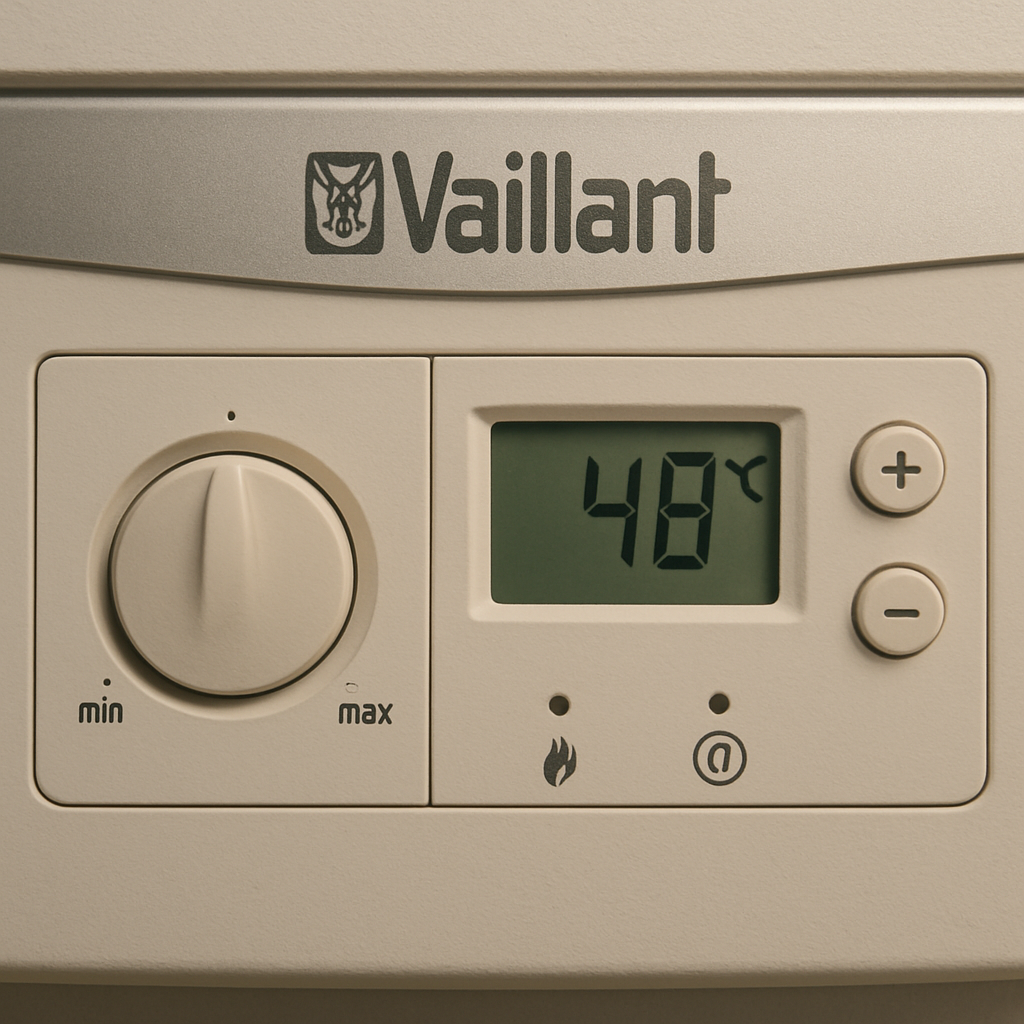
Safety Precautions Before Resetting
Before resetting your boiler, safety is key. Ensure the area is clear and well-ventilated. Being cautious can prevent accidents.
Always switch off the power supply first. This prevents electrical shocks or further damage. Handle the boiler components carefully.
Consider these safety measures:
- Turn off the electrical supply
- Ensure the area is dry
- Wear protective gear if necessary
These simple steps can protect both you and your boiler. Safety precautions help avoid costly mistakes and ensure a smooth reset process.
Locating the Reset Button on Different Vaillant Models
Finding the reset button on a Vaillant boiler is essential for troubleshooting. Different models may have slight variations in button placement. Knowing where to look can save time and frustration.
Typically, the reset button is on the boiler’s control panel. It’s often marked with a flame symbol and a line through it. This icon helps users quickly identify the reset function. For Plus models, if you need guidance on how to reset a Vaillant EcoTec Plus boiler, the reset control is commonly just below the display.
Here’s a quick guide to locate the reset button on common models:
- EcoTec Pro 28: Front control panel
- EcoTec Plus 28: Below the display screen
- EcoTec Plus 831: Beneath the control knobs
- EcoTec Plus 418: Near the bottom left corner
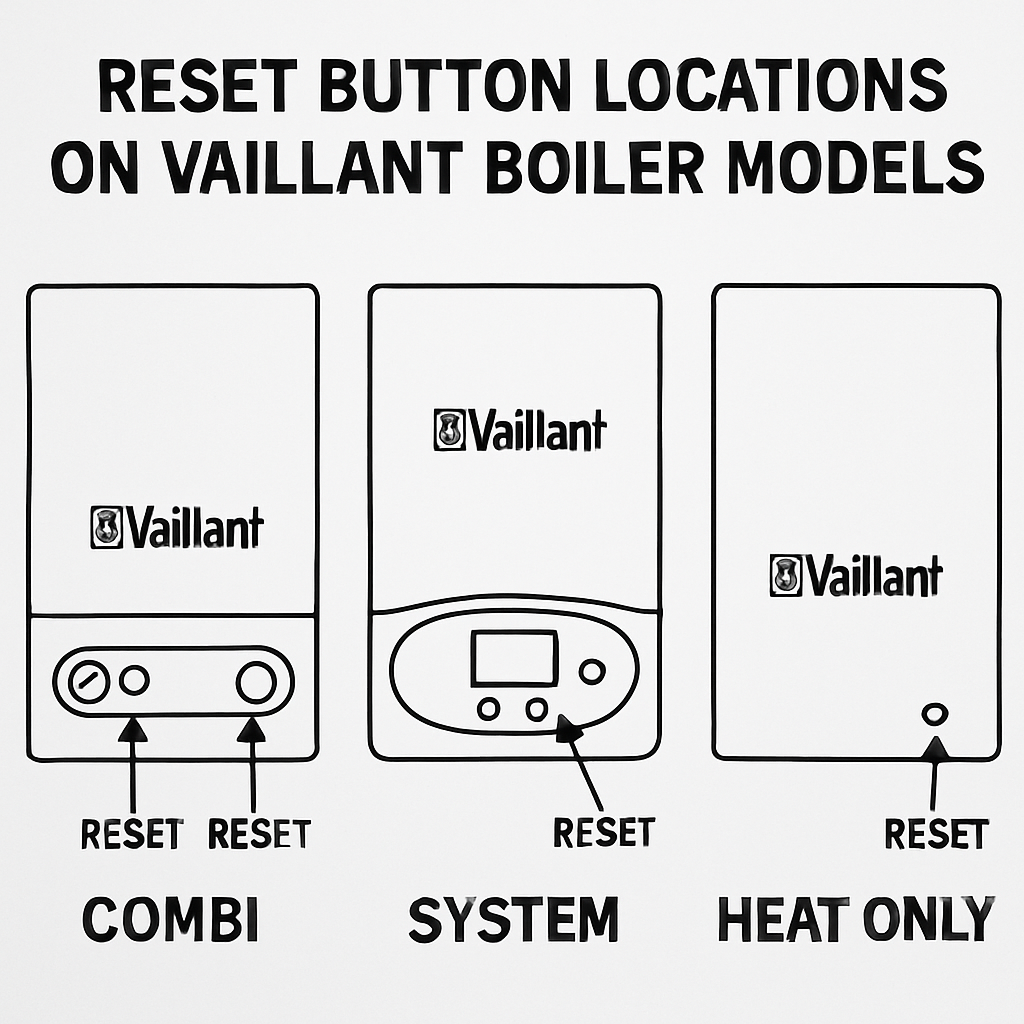
Consult your boiler’s manual for specific instructions. Having this information readily available can assist with efficient troubleshooting. Familiarity with the control panel ensures a smooth reset process.
Step-by-Step Guide: How to Reset a Vaillant Boiler
Resetting your Vaillant boiler may seem daunting, but it’s a straightforward process with the right guidance. This step-by-step approach will simplify the task and applies broadly if you’re learning how to reset vaillant boiler controls across similar models.
Firstly, ensure safety by switching off the boiler. Allow it to sit idle for a few minutes to cool down. Safety is crucial before any reset action.
Next, locate the reset button on the control panel. Refer to your user manual for precise details. The reset button often has a distinctive symbol.
Press the reset button firmly. Hold it for at least five seconds to initiate the reset. Release it once you see the display change.
Observe the boiler’s display for any error codes. If there are none, the reset was successful. Your boiler should now return to normal operation.
If error codes persist, consult your manual. Identify the specific issue and address it before another reset. This can prevent potential damage.
During the reset process, keep a lookout for unusual sounds or alerts. A diagram of a boiler panel can help identify parts and support quick Vaillant boiler troubleshooting.
How to Reset a Vaillant EcoTec Pro 28 Boiler
The EcoTec Pro 28 model has a simple reset process. Begin by ensuring the boiler is turned off. Safety is always the first step.
Reset Instructions:
- Make sure the power switch is off.
- Wait a few minutes for safety.
- Press the reset button on the control panel.
- Hold the button for about five seconds.
- Observe the display for changes.
This model features a reset button conveniently located on the panel. Ensure all prerequisites are met to ensure a successful reset. These steps are ideal if you specifically searched for how to reset a Vaillant EcoTec Pro 28 boiler.
How to Reset a Vaillant EcoTec Plus 28 Boiler
Resetting an EcoTec Plus 28 boiler involves a few easy steps. Begin by switching the boiler off to ensure safety during the process.
Reset Instructions:
- Turn off the boiler’s power supply.
- Allow it to cool for safe access.
- Locate and press the reset button below the display.
- Hold it down for around five seconds.
This is typically enough to clear minor faults. Afterwards, check the display to ensure normal operation resumes without any error alerts. This also covers how to reset a Vaillant EcoTec Plus boiler in many common scenarios.
How to Reset a Vaillant EcoTec Plus 831 Boiler
For the EcoTec Plus 831, resetting is straightforward. Ensure the boiler is off to start with a clean slate and avoid risks.
Reset Instructions:
- Confirm the boiler’s switch is off.
- Wait for a short cooling period.
- Press the reset button located beneath the control knobs.
- Hold the button for around five seconds until the display updates.
- Check the panel for any new error codes.
These steps match how to reset a Vaillant EcoTec Plus 831 boiler in most households.
How to Reset a Vaillant EcoTec Plus 418 Boiler
Resetting an EcoTec Plus 418 follows similar steps. Safety is key, so always begin with switching the system off.
Reset Instructions:
- Switch off the main power supply to the boiler.
- Allow a brief pause before attempting any reset.
- Locate and press the reset button near the boiler’s bottom left.
- Hold down the button for the required time.
Check for stability and error messages on the display after resetting. A successful reset should lead to normal operational status. These directions align with how to reset a Vaillant EcoTec Plus 418 boiler.
Common Error Codes and Troubleshooting Tips
Understanding common error codes can assist in troubleshooting your Vaillant boiler. These codes indicate specific issues that might need addressing prior to a successful reset. Use them as a quick reference for Vaillant boiler troubleshooting.
Common Error Codes
- F22: Low water pressure.
- F28: Ignition failure.
- F75: Faulty pump or pressure sensor.
Each error code highlights a particular problem. Knowing what they signify can save time and prevent additional issues.
Troubleshooting Tips
- Addressing F22: Check and refill water pressure if necessary.
- Handling F28: Inspect the gas supply and ignition components.
- Resolving F75: Ensure the pump is functioning and sensors are intact.
Always cross-reference the user manual for detailed solutions to each error. A thorough understanding can facilitate quicker resolutions.
Visual aids, such as charts or diagrams, can effectively illustrate these error codes.
For persistent issues, contacting a professional is advisable. They can accurately diagnose and fix complex problems that a simple reset cannot rectify.
What to Do If Your Vaillant Boiler Won’t Reset
If your Vaillant boiler fails to reset, it might indicate a more significant issue. Start by reviewing all error codes displayed on the control panel. These codes can provide clues to the root cause of the problem.
Next, ensure that basic requirements such as water pressure and power supply are adequate. An inadequate supply can prevent the boiler from resetting successfully. Double-check that all valves are open and that there’s a stable gas supply.
Steps to Take
- Verify any tripped circuit breakers.
- Inspect all connections for damage.
- Consult the boiler manual for additional insights.
If none of these steps resolve the issue, it might be time to consult a qualified boiler engineer. A professional can conduct a thorough examination and necessary repairs, ensuring your heating system returns to optimal function. If you searched for how to reset a Vaillant boiler but it still won’t start, seek Vaillant boiler help from an expert.
Preventing Future Boiler Issues
Regular maintenance can significantly reduce the risk of boiler issues. Scheduled checks help identify potential problems before they become serious. Keeping the boiler in top condition also improves its efficiency and longevity.
Tips for Prevention
- Schedule an annual service with a professional.
- Regularly check and adjust water pressure.
- Keep the area around the boiler clean and unobstructed.
- Ensure proper Vaillant boiler installation and commissioning from the start.
By following these simple tips, you can minimise the chances of unexpected breakdowns. Remember, a well-maintained boiler is not only more reliable but also more energy-efficient. This approach ensures your heating system continues to provide comfort throughout the year.
When to Call a Professional for Vaillant Boiler Repair
Sometimes, issues extend beyond a simple reset. If your boiler doesn’t respond or error codes persist, it’s time to call an expert. Persistent leaks or unusual noises are also signs that professional help is needed.
A certified engineer can perform detailed diagnostics and Vaillant boiler repair safely. Relying on their expertise ensures issues are effectively resolved, maintaining both your comfort and safety.
Frequently Asked Questions About Vaillant Boiler Reset
Many homeowners have questions about resetting their Vaillant boiler. Understanding the basics can aid in quick troubleshooting. Here are some common queries and their answers.
FAQs:
- Can I reset my boiler too often?
- Resetting more than necessary may indicate underlying issues.
- Will a reset fix all problems?
- Resets address minor faults but not major repairs.
- What if the reset button is stuck?
- Contact an engineer to avoid damage.
These questions reflect general concerns, and it’s always wise to seek professional advice if unsure.
Conclusion: Keeping Your Vaillant Boiler Running Smoothly
Ensuring your Vaillant boiler runs efficiently involves more than just resetting it. Regular maintenance and prompt attention to error codes can prevent significant issues.
By understanding how to reset your boiler and recognising common problems, you can maintain its performance. Always prioritise safety and seek professional help when needed to prolong the lifespan of your appliance. Proper care keeps your heating system reliable and efficient throughout its service life.
Frequently Asked Questions
Question: When should I reset my Vaillant boiler?
Short answer: Resetting is useful for clearing minor faults after events like a power cut, routine maintenance, or when error codes appear and you’ve addressed the likely cause. Typical signs you might try a reset include no heating or hot water and a fault shown on the display. Remember, a reset won’t fix major mechanical issues—those need professional attention.
Question: How do I reset my Vaillant boiler safely?
Short answer: Start with safety: turn off the electrical power, ensure the area is dry and well‑ventilated, and allow the boiler a few minutes to cool. Locate the reset button on the control panel (often marked with a flame symbol crossed out), press and hold it for about five seconds, then release and watch the display. If error codes remain, consult the manual to address the specific issue before attempting another reset.
Question: Where is the reset button on my Vaillant model?
Short answer: Locations vary slightly by model but are all on the control panel: EcoTec Pro 28 (front control panel), EcoTec Plus 28 (just below the display), EcoTec Plus 831 (beneath the control knobs), and EcoTec Plus 418 (near the bottom left corner. Look for the reset icon—a flame with a line through it. If unsure, check your user manual.
Question: What do error codes F22, F28, and F75 mean, and what should I do?
Short answer: F22 indicates low water pressure—check the pressure and top up per your manual. F28 signals an ignition failure—inspect the gas supply and ignition components. F75 points to a pump or pressure sensor issue—confirm the pump runs and sensors are intact. Always cross‑reference your manual for model‑specific steps, and call a professional if faults persist.
Question: What if my Vaillant boiler won’t reset?
Short answer: Review the displayed error codes first, then verify essentials: adequate water pressure, stable power (no tripped breakers), open valves, and a steady gas supply. Inspect visible connections for damage and recheck your manual for guidance. If it still won’t reset, or faults keep returning, contact a qualified engineer for diagnosis and repair.